
Saleae Logic Pro 16 Logic Analyzer 16 Channels & 100MHz (black)
Description
- Record your digital and analog signals
- Logic device can be customized to capture data the way you want
- Software can start recording automatically when it finds a simple pattern you specify
Record
To record your digital and analog signals, just press start. You can fill your entire computer’s memory with data so it is easy to capture lengthy or rare events.
Setup
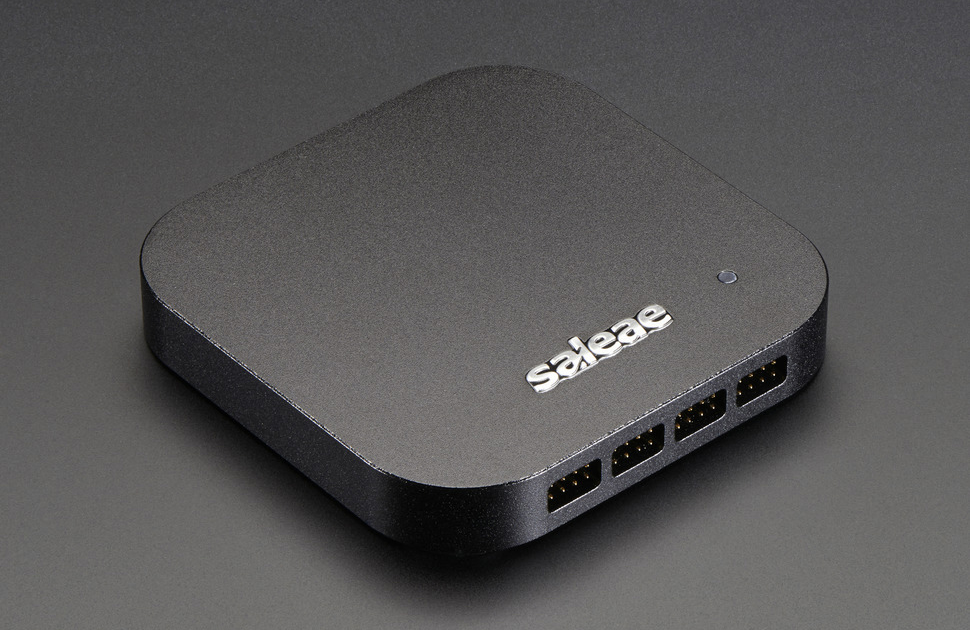
Every Logic device can be customized to capture data the way you want. You can select how long to record, specify how bandwidth is allocated between digital and analog recoding, select which channels to record, and even make the LED your favorite color.
Navigate
When you have billions of data points to display, it is important that getting around in all that data is a zippy experience. Effortlessly zoom in and out with the scroll wheel, and navigate left and right by dragging the data where you want it.
Measure
For basic measurements, just place your mouse near something interesting. The software will figure out the rest and display the relevant measurements. You can show different measurements by right-clicking.
Trigger & Find
The software can start recording automatically when it finds a simple pattern you specify. You can trigger on digital edges and pulses as well as analog voltages and pulses. After you collect your data, you can search for more events this way too.
SPI, I2C & more
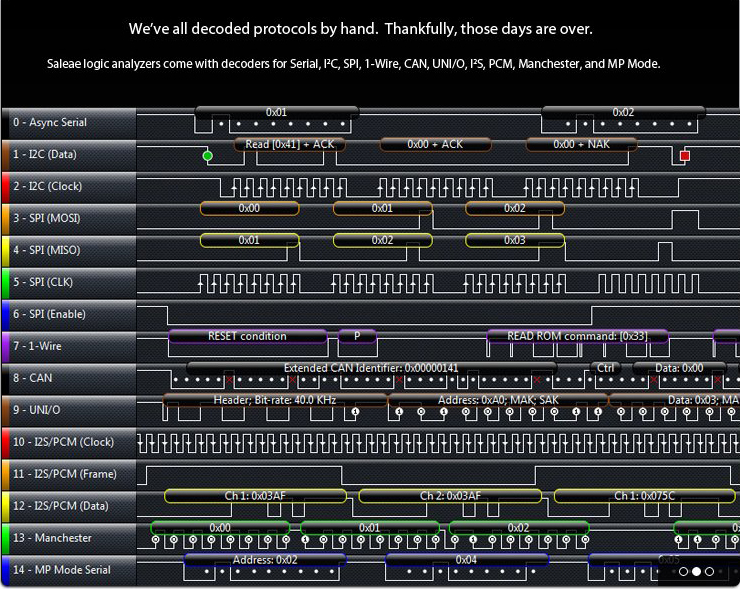
Most digital communication uses a particular protocol that specifies how information is transferred. The Logic software has protocol analyzers that can automatically decode SPI, I2C, serial, 1-Wire, CAN, UNI/O, I2S/PCM, MP Mode, Manchester, Modbus, DMX-512, Parallel, JTAG, LIN, Atmel SWI, MDIO, SWD, LCD HD44780, BiSS C, HDLC, HDMI CEC, PS/2, USB 1.1, Midi – or create your own with the SDK.
Search
Once you have decoded your data with a protocol analyzer, you can search through all these decoded results by just typing what you are looking for – the software will jump right to the spot where it happened.
Annotate
In the software, you can add unlimited bookmarks, which remember what you were looking at; timing markers, which can measure the time between events; and measurements, which annotate the waveform with parameters like width, frequency, RMS voltage and duty cycle.
Save & Share
Once you’ve annotated your data, you can easily save it for later review. You can even save it in the cloud to send to colleagues or post online!
Export
Sometimes you will need to do something pretty custom with your data, so you’ll be happy to know it is easy to export it in a variety of formats, including a text csv file or Matlab m file.
Automate
If you need to automate the Logic software, you can control everything over a simple TCP socket using virtually any programming language.
SDK
Have a rare or proprietary protocol you would like to have Logic decode? You can with our Analyzer SDK.
Benifits:
- Super easy to use, honest
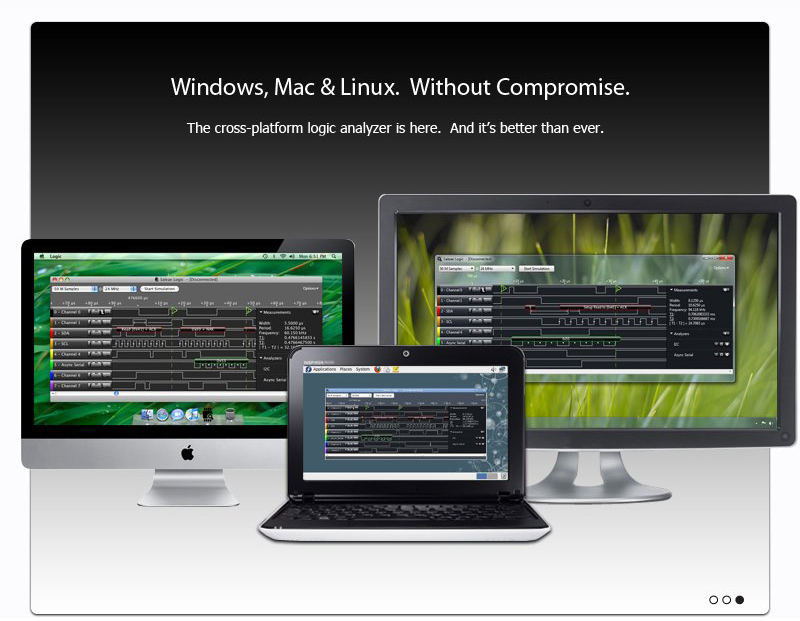
- Works cross-platform on Windows, Mac, and Linux
- Ultra-portable
- Saves time
- Saves frustration
- Get context you don't get with a scope
- Provides insight
- Far superior to a scope for embedded work
- Saves money
- Junior engineers more self-reliant
Aplications:
- Decode protocols
- Debugging microcontroller peripherals
- Reverse Engineering
- Debug without breakpoints
- It's all about the timing
- Data Logging
- System interaction debug
- Interrupt / race condition debugging
- Performance tuning
- Very infrequent failures
I have received this product a few weeks ago and I am pretty satisfied with it for now. I have used several different protocol analyzers that came built in the software and they work flawlessly. With the provided SDK it is possible to write your own as well if necessary. There are a couple stability issues with the provided software under Windows 10 (f.e.: random crashes when I start a capture, not too often fortunately). It saves the configuration state so after restarting the software the work can be continued without too much hassle.
J'ai reçu ce produit il y a quelques semaines et j'en suis assez satisfait pour l'instant. J'ai utilisé plusieurs analyseurs de protocole intégrés au logiciel et ils fonctionnent parfaitement. Avec le SDK fourni, il est également possible d'écrire le vôtre si nécessaire. Il existe quelques problèmes de stabilité avec le logiciel fourni sous Windows 10 (par exemple, des plantages aléatoires lorsque je commence une capture, heureusement pas souvent). Il enregistre l'état de la configuration afin qu'après le redémarrage du logiciel, le travail puisse être poursuivi sans trop de problèmes.
I had some initial problems getting the device to work. After some email from Saleae and directions to their troubleshooting pages, I narrowed the problem down to a bad USB 3.0 cable. A fresh cable purchased locally fixed the problem. I assume robotshop or Saleae would have replaced it, but hardly worth waiting for. I have tested on Mac OS (Yosemite) and Ubuntu 15.10 without problems. All functions, including the socket server API work as described. It comes in a nice case (not fancy, but works well for the task) with wiring harnesses and test clips. The voltage protection is nice - no worry about errors in hooking it up to a signal source. 4.88mV resolution is OK (12 bits over +/- 10V), but it would be nice to adjust the range to get better resolution at lower signal levels. Nevertheless, the Logic Pro 16 does a lot for a good price.
J'ai eu quelques problèmes initiaux pour faire fonctionner l'appareil. Après quelques courriers électroniques de Saleae et des instructions pour accéder à leurs pages de dépannage, j’ai réduit le problème à un mauvais câble USB 3.0. Un nouveau câble acheté localement a résolu le problème. Je suppose que robotshop ou Saleae l'auraient remplacé, mais ne valait pas la peine d'attendre. J'ai testé sur Mac OS (Yosemite) et Ubuntu 15.10 sans problèmes. Toutes les fonctions, y compris l'API du serveur de socket, fonctionnent comme décrit. Il est livré dans un joli boîtier (peu sophistiqué, mais fonctionne bien pour la tâche) avec des faisceaux de câbles et des pinces d’essai. La protection contre les surtensions est agréable - ne vous inquiétez pas des erreurs de connexion à une source de signal. La résolution de 4,88 mV est correcte (12 bits au-dessus de +/- 10 V), mais il serait bon d’ajuster la plage pour obtenir une meilleure résolution à des niveaux de signal inférieurs. Néanmoins, la Logic Pro 16 fait beaucoup pour un bon prix.
Estimate shipping
Refund Policy
If you are not satisfied with a product purchased from the Site, you may request a return within 30 days from the delivery date, unless the product is listed under the Return Exceptions below or is subject to specific return conditions noted on the product page.
This return policy also applies, as a minimum standard, to products sold and fulfilled by third-party vendors through the Marketplace.
Please review the Return Conditions, Return Exceptions and the process on How to Request a Return Authorization (RA) before initiating a return request.
Returns under this policy concern non-defective products. In the case of a confirmed manufacturing defect, remedies are handled under the Warranty terms, at the Vendor's discretion. See the Warranty section.
Return Conditions
To qualify for a refund under the 30-day return policy, all of the following conditions must be met:
- A valid Return Authorization (RA) number must be obtained prior to returning the product. Returns without an RA number will be refused.
- The RA number is valid for 30 days. The returned item must be received within that period.
- The RA number must be included with the return.
- Products must be returned in unused, unmodified condition (e.g., no scratches, alterations, missing parts, or signs of installation/use) and in their original packaging, suitable for resale.
- Shipping fees are non-refundable. Return shipping costs are the responsibility of the customer, except in cases of a product confirmed defective through RobotShop's troubleshooting process or of a verified shipping error by RobotShop.
- Refunds are processed within 7 days after receipt and inspection of the returned item.
- A $100 cleaning fee may apply to domestic robots returned in used or unclean condition.
- A 20% restocking fee may apply to large-quantity returns of items ordered specifically for the customer from the manufacturer or not part of RobotShop's standard inventory.
Return Exceptions
The following products are not eligible for return or refund under this policy:
- Used, damaged, or modified products — Items that show signs of use, wear, or alteration, making them unsuitable for resale.
- Consumables — Use and wear-and-tear components, altered or depleted through use (e.g., batteries, belts, brushes, gears, filament, tires, disposable bags, lubricants, greases, waxes, etc.). Not eligible for return once opened or used.
- Perishables — Goods liable to deteriorate or expire rapidly. Not eligible for return.
- Sealed goods (health or hygiene) — Items sealed for health-protection or hygiene reasons (e.g., masks, gloves, odor-absorbing products). Not eligible for return once unsealed.
- Build-it-yourself products and items requiring customer assembly — Including robots & kits, robot parts, and other products requiring assembly or soldering. Not eligible for return once assembled, soldered, or installed.
- Digital Goods, Software, and Apps — Final sale only, due to licensing restrictions.
- Clearance Items — Products identified as clearance or final sale, including end-of-life or discontinued items.
- Custom-made, personalized, or special-order items — Products manufactured, configured, adapted, or built to the customer's own specifications and requirements.
- On-Demand Items — Standard catalogue products not stocked by RobotShop and ordered specifically to fulfill a customer request.
- Professional & Specialized Equipment — See the Professional & Specialized Equipment Warranty page and Professional & Institutional Buyers (B2B) section in the Terms & Conditions.
How to Request a Return Authorization (RA)
While the same return policy applies, these orders require a separate contact process for returns.
- RobotShop Fulfilled Orders → submit a support ticket from your account under My Support Tickets.
- Marketplace Vendor Orders → submit a ticket from your account under My Marketplace Tickets to contact the vendor directly.
Note: Marketplace vendor products are normally labelled with SKUs starting with RM, and identified on the product page with the mention "Sold and fulfilled by [Vendor Name]".


